Audit Report Generator Agent
Killed the double-entry. Auditors stopped writing the same findings twice.
Project details
- Microsoft Copilot Studio
- Power Automate
- AI Builder
- SharePoint
- DOCX templating
- Structured JSON extraction
Context
An international public research organization running a large-scale scientific infrastructure program operates a formal quality management process. Internal audits produce 2 artifacts: a closing meeting presentation (PPTX) shared with the auditee, and a formal audit report (DOCX) filed in the QM system. Same findings, 2 documents, 2 rounds of typing.
The brief was simple to state and harder to execute: stop the second round of typing. Read the PPTX, ask the auditor for the ~40% of report content that does not exist in the presentation, generate the DOCX, file it in SharePoint. Done before the auditor walks back to their desk.
Challenge
A PPTX is not a structured data source. Copilot Studio cannot parse it natively, finding-row counts are variable per audit (Good Practices, Non-Conformities, Opportunities For Improvement all show up in unpredictable numbers), and the DOCX template the QM team uses has fields the auditor never bothers to put in the slides (distribution list, responsible manager, reference documents, per-topic scores, lessons learned, auditee comments, Sf effectiveness score).
2 harder constraints sat under that. First, the two templates did not originally line up field-for-field. Half of the report content existed in the PPTX in prose form, the other half existed only in the auditor's head. Second, the QM team would not accept anything that looked AI-generated in the final DOCX. The output had to look identical to a hand-written report, including a correctly computed effectiveness score with the right interpretation label.
Approach
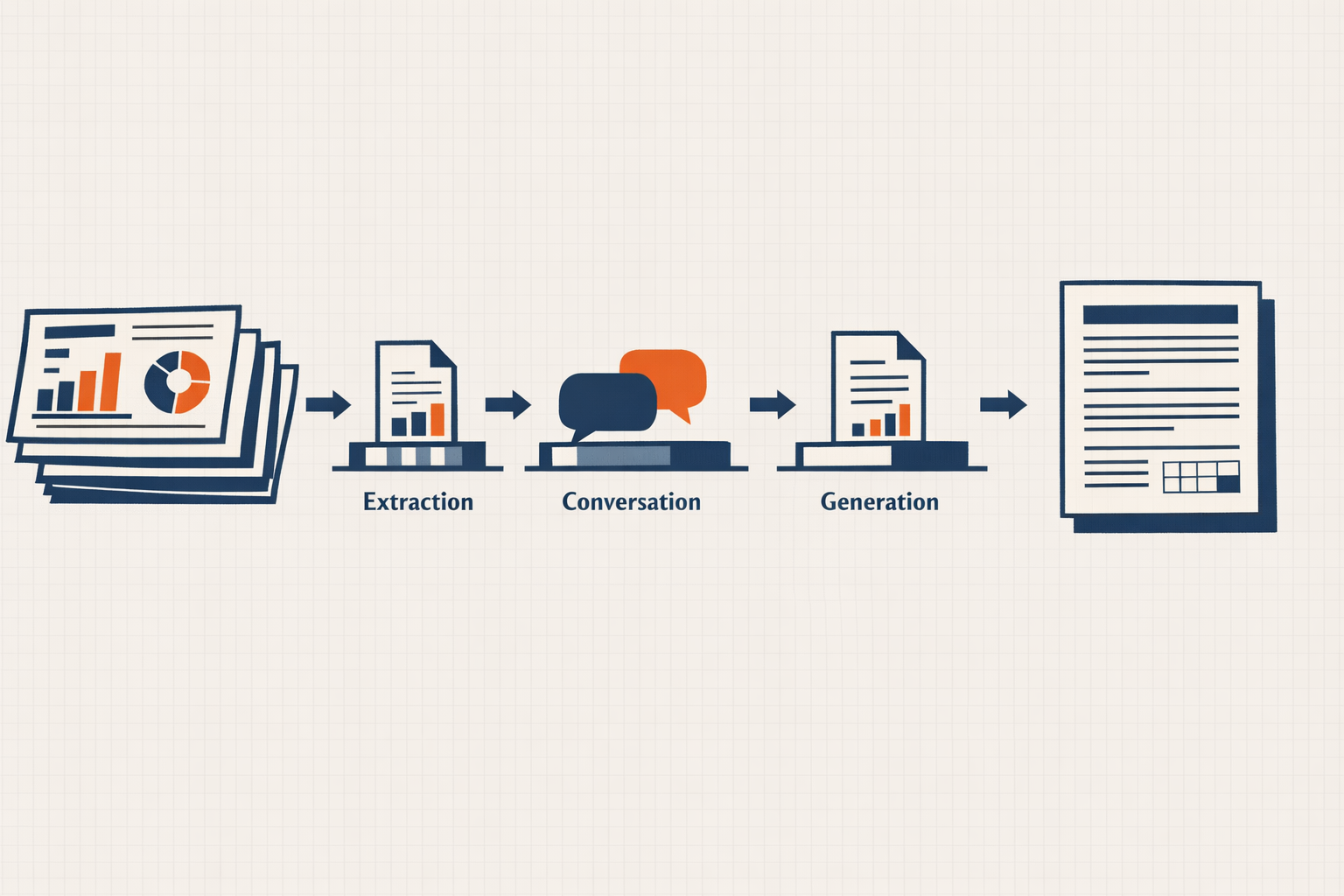
The auditor uploads their closing meeting PPTX in Teams. AI Builder + Power Automate pre-processing extract the text, the agent parses it into structured JSON (audit metadata, finding categories, per-finding rows), and confirms each finding with the auditor in plain language. Then the agent conversationally collects the missing ~40% of report content (distribution list, scores, lessons learned, auditee comments) one block at a time, computes the Sf effectiveness score with its result interpretation (Effective / Need Improvements / Not Effective), and triggers a Power Automate flow that generates the DOCX via a third-party templating connector and files it in SharePoint.
The high-leverage decision was not on the agent. It was the template alignment workshop with the QM team before any agent work started. The PPTX and DOCX templates did not match field-for-field originally; aligning them turned a fuzzy AI translation problem into a clean structured-data bridge. Half the value of this engagement was that workshop.
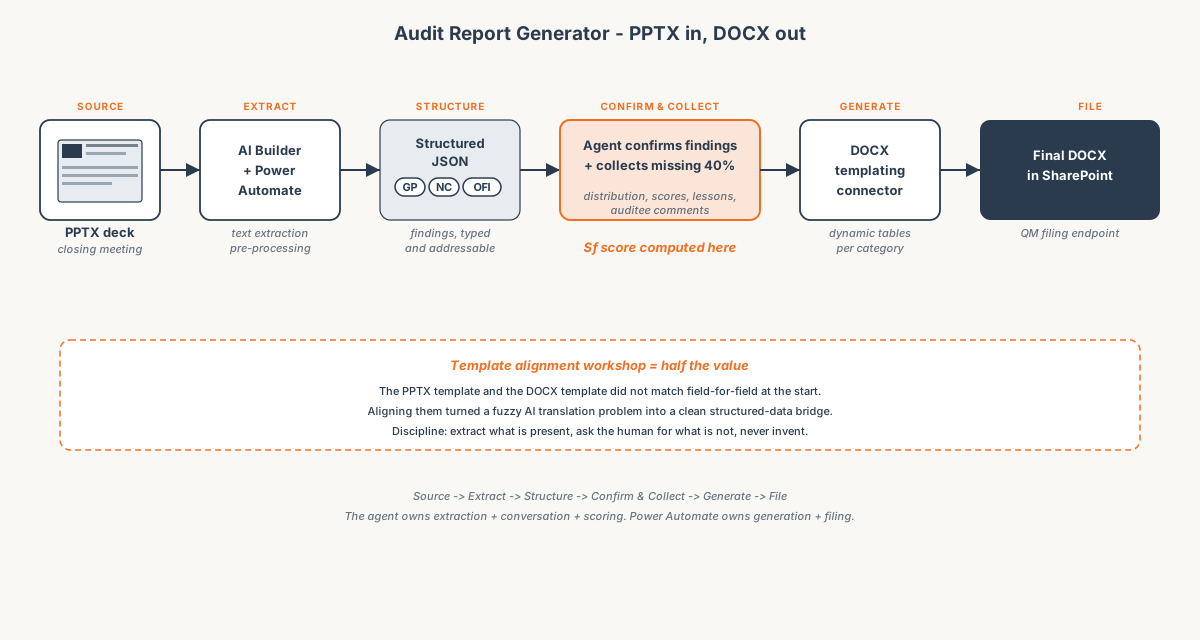 PPTX in, DOCX out. The agent owns extraction + conversation + scoring; Power Automate owns generation + filing.
Key technical choices:
- AI Builder for PPTX text extraction inside a Power Automate pre-processing step. Copilot Studio cannot parse PPTX natively; pre-processing produces clean text the agent can reason over.
- Structured JSON for audit metadata + findings. The agent never works with raw PPTX text downstream of extraction. Findings are typed (GP / NC / OFI) and rows are addressable.
- Conversational data gathering for the missing 40%. Distribution list, responsible manager, reference documents, per-topic scores, lessons learned, auditee comments. Asked one block at a time, with the agent re-confirming before generation.
- Dynamic-length finding tables in the DOCX via a third-party templating connector that handles variable row counts per category. Generic DOCX merge connectors cannot do this cleanly.
- Sf score computation in agent instructions. The score and its interpretation (Effective / Need Improvements / Not Effective) are computed once, displayed for confirmation, then written to the document.
- SharePoint as the filing endpoint. Output lands where the QM team already looks. The agent does not own the document after generation.
Outcome
- The second round of typing is gone. Auditors no longer re-key findings from their closing meeting deck into the formal DOCX report.
- Reports are generated and filed before the auditor walks back to their desk, instead of being a same-week task that often slipped to the following week.
- DOCX output is template-faithful. The QM team accepted the generated reports as indistinguishable from hand-written ones, including the Sf score and its interpretation label.
- Template alignment patterns reusable across the client's other quality-management processes. The PPTX + DOCX bridge is the asset, not the agent.